Type a callsign, tap Log, and the contact is in your log. QSL World Logbook keeps your whole log on the phone, works without signal, and shows every QSO on a map. It is free to download, and it keeps the same log you use on qslworld.com and in Ham Browser.
Callsign, reports, Log. The UTC clock runs, the band follows the frequency and a duplicate is flagged before you save it.
Activating a park on a hilltop? Contacts logged offline wait on the phone and go up to qslworld.com when you are back in range.
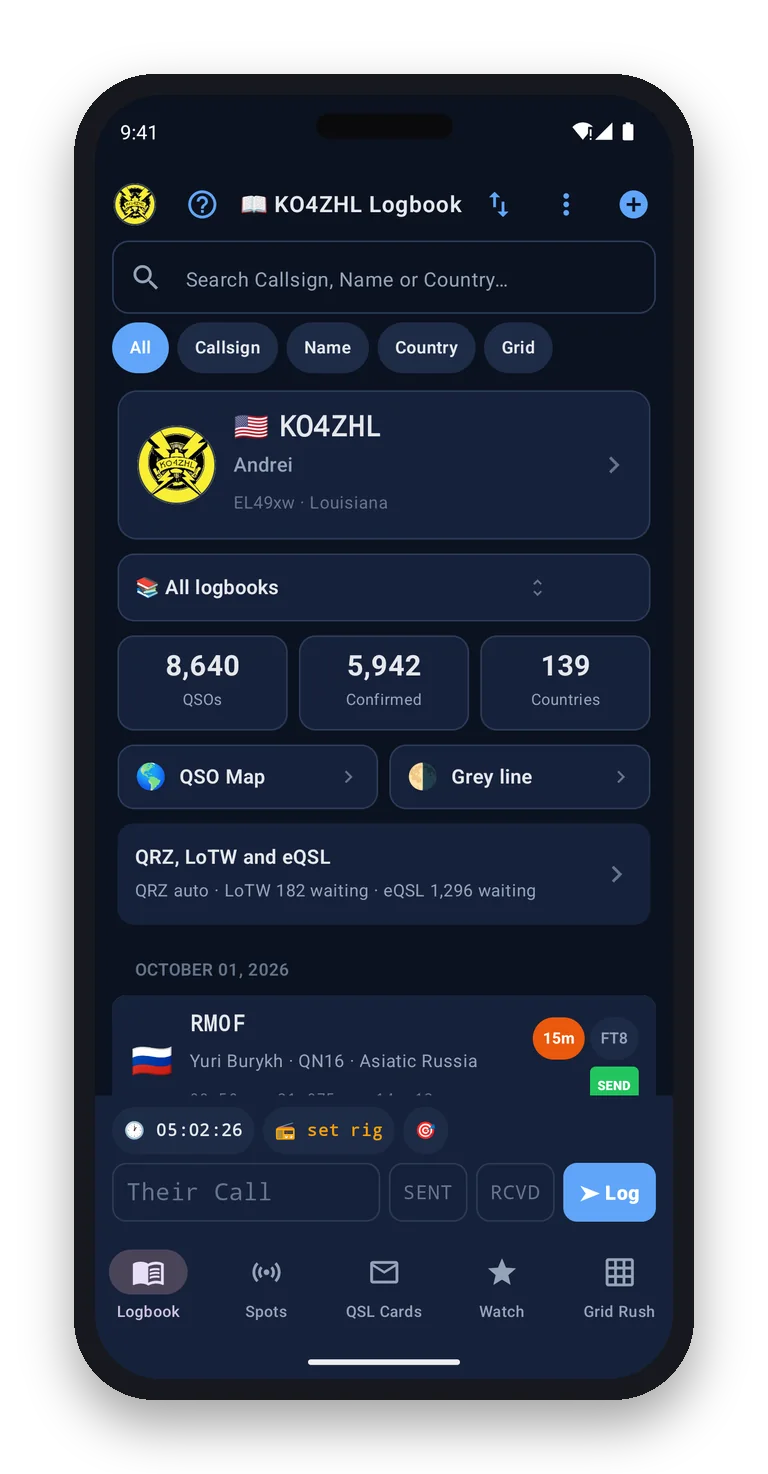
LoTW, QRZ and eQSL confirmations are brought into your log, so you can see which contacts are confirmed without opening three websites.
Put a callsign on your watch list and the phone tells you when it is spotted, even with the app closed.
Everything a radio amateur keeps in a log, and the things a paper log never could: where each contact went, who confirmed it, and who is on the air right now.
Enter a call and the name, grid square and country are filled in for you. Search your own log by callsign, name, country or grid.
Keep separate logbooks for everyday operating, contests, POTA and SOTA activations, each with the fields that activity needs.
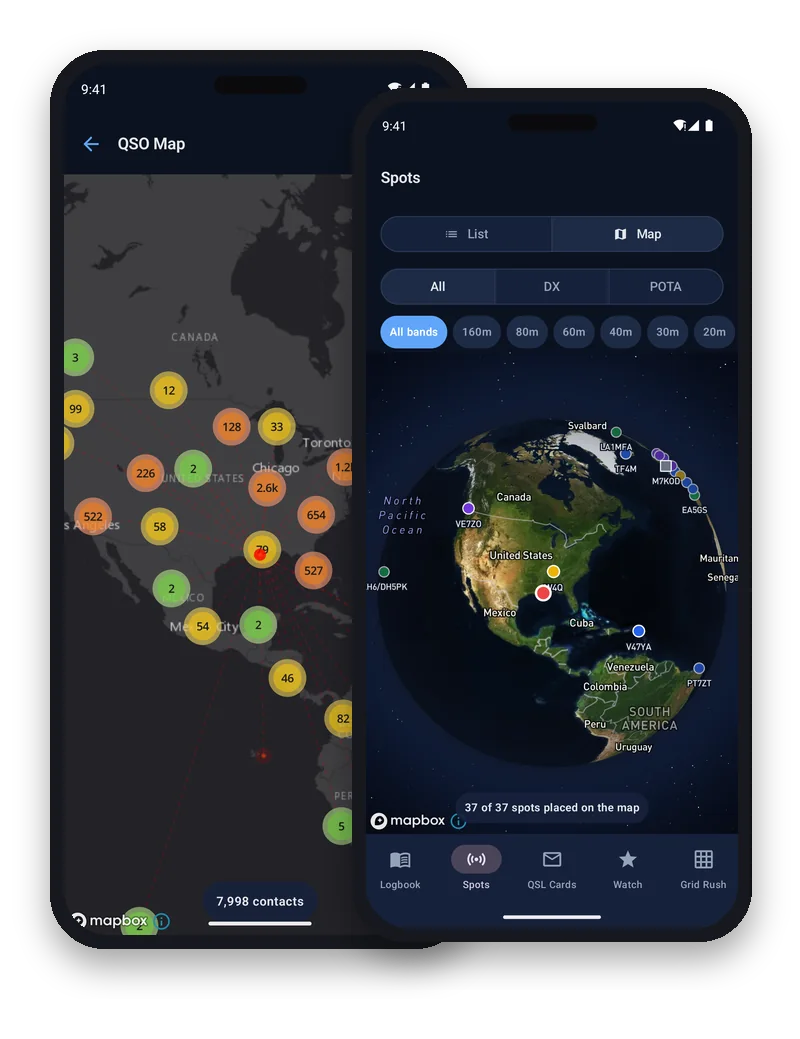
Every station you have worked on one map around your QTH, and an animated path from you to them for each contact.
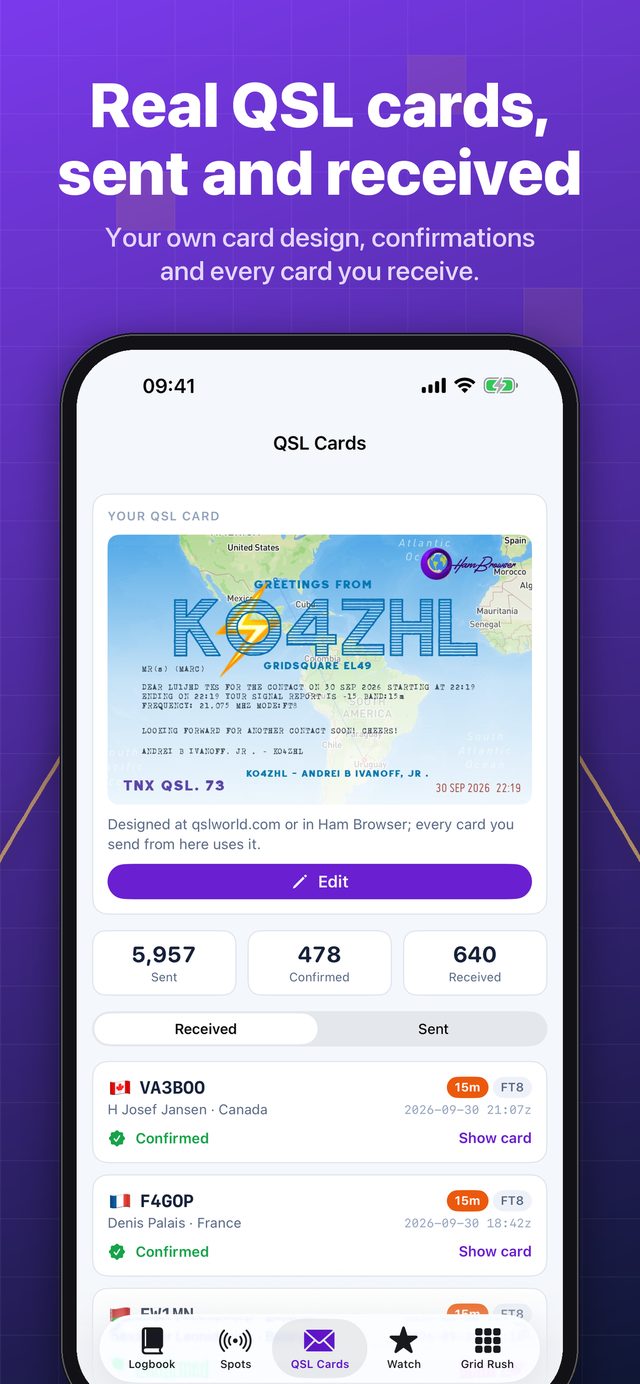
Send your QSL World card to any contact straight from the log, and keep every card that comes back in one album.
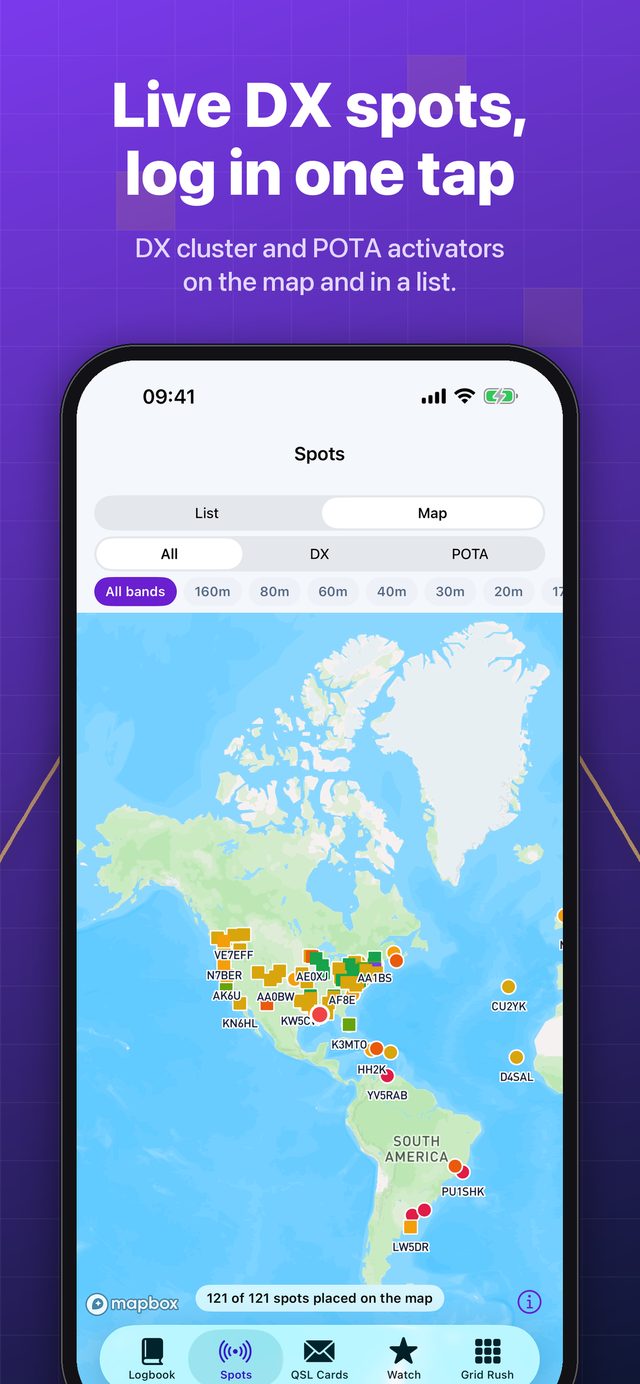
See who is being spotted as a list or on the globe. Tap a spot and its call, band and mode are ready to log.
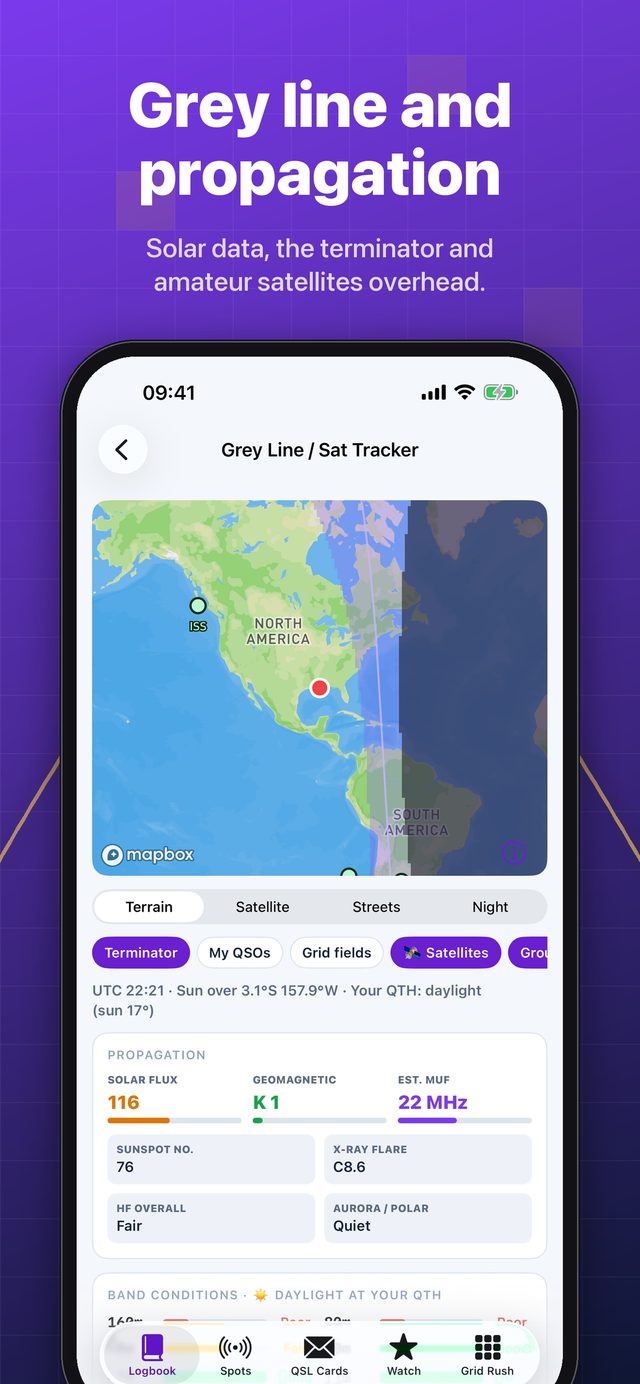
The grey line on the globe, solar and propagation figures, and the amateur satellites passing over you.
The grid squares you have worked become a game: a spinning globe, a score, badges, a world ladder and Recon for every square.
Read the frequency and mode from your rig over a Bluetooth CAT adapter, Hamlib rigctld or flrig, so the log always has them right.
The app, qslworld.com and Ham Browser share one account and one log. Log on the phone, find it on the computer.
From the first contact of the day to the last confirmation, this is what a day with the app looks like.
Use your qslworld.com or Ham Browser account, sign in with Apple or Google, or create an account in the app with your callsign. Your log is waiting for you the moment you are in.
Your callsign, grid and QTH come along, so every contact is logged from the right place.
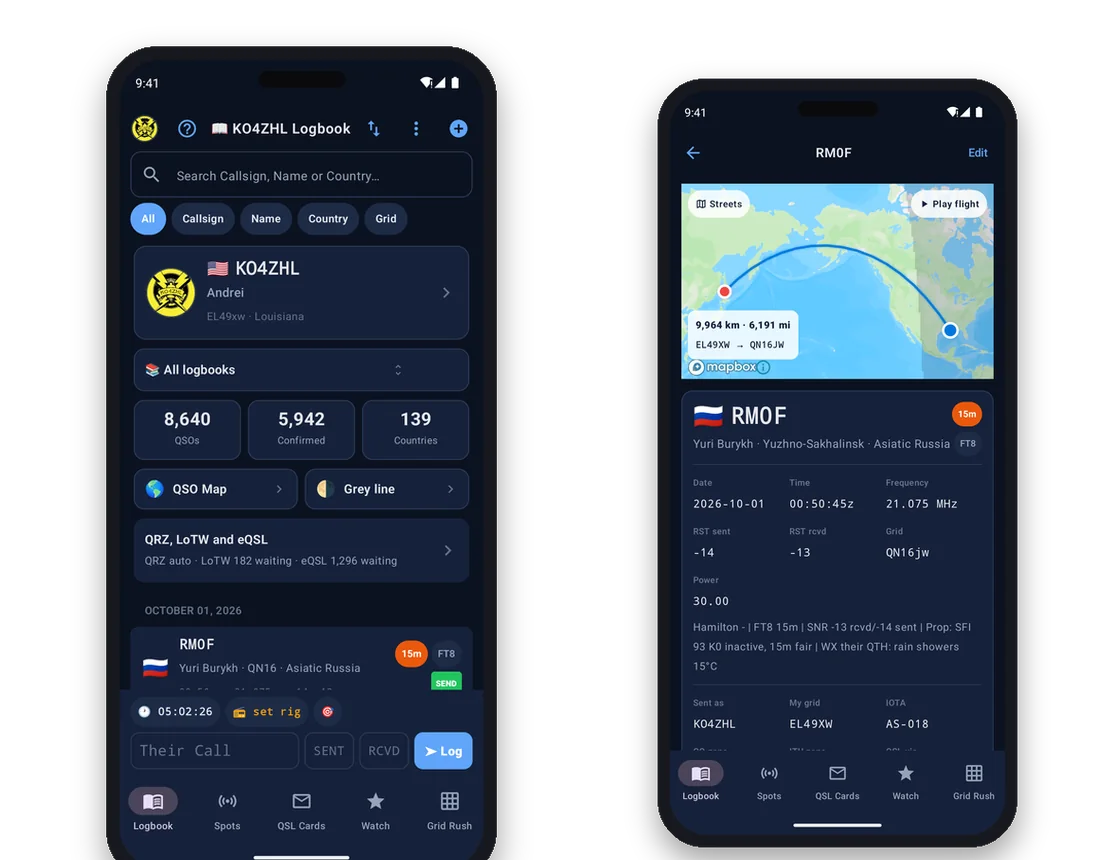
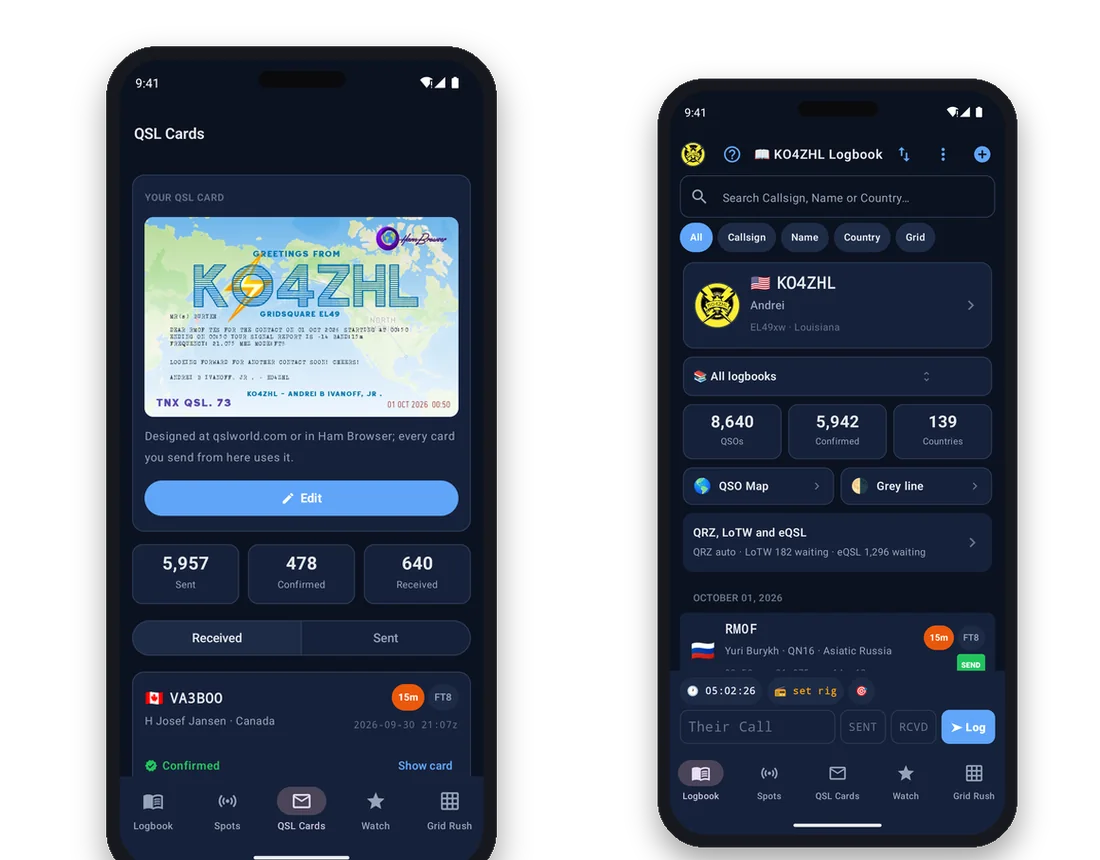
The quick-log bar sits under your thumb. Type the call, the reports and tap Log. Pick a spot from the cluster and it is filled in for you. Without signal the contact is kept on the phone and sent later.
The time is always UTC, the band is worked out from the frequency, and a repeat contact is caught before it is saved.
Confirmations from LoTW, QRZ and eQSL arrive in your log on their own. Send a QSL card to a contact with one tap and watch the cards other stations send you fill your album.
Connect your QRZ logbook and each contact you log is added to it as well.
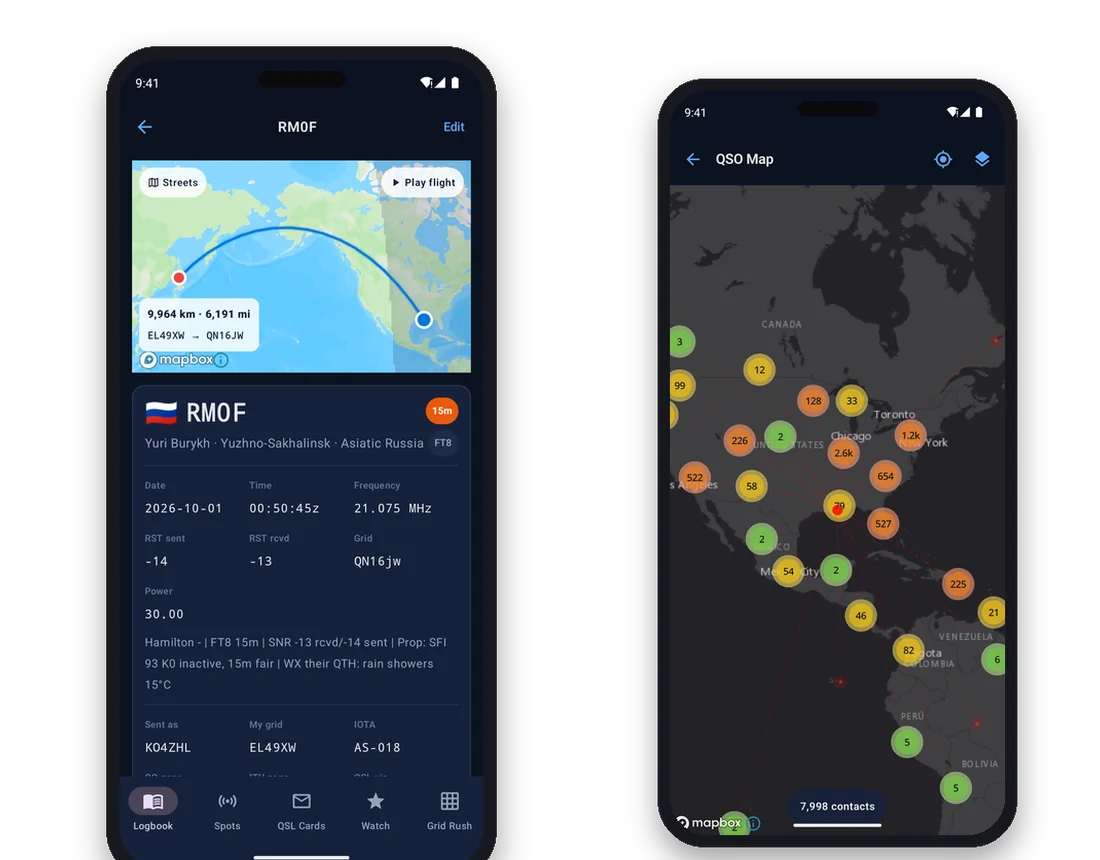
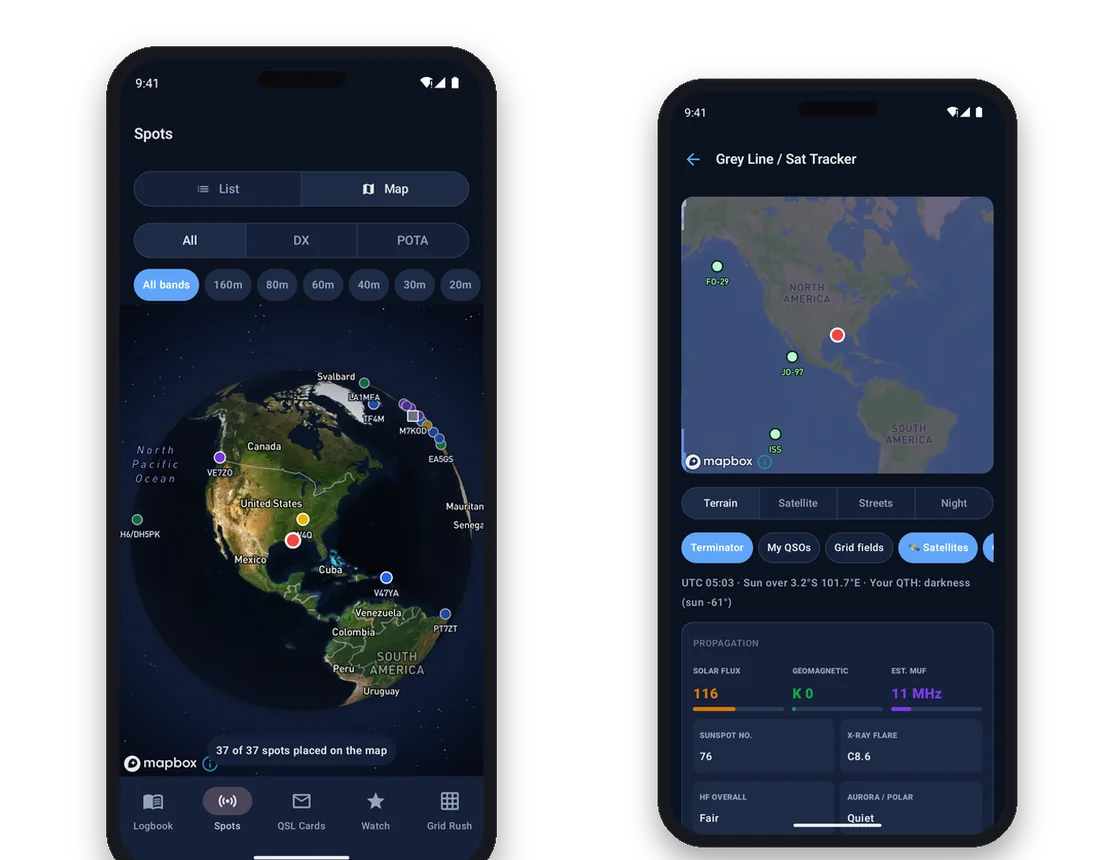
Open the QSO map to see every station you have worked around your QTH, or play a contact's flight path across the globe. Check the grey line and the bands before you call CQ.
DX cluster and POTA spots, filtered by band, placed where the stations are.
Grid Rush scores the squares in your log, awards badges as you fill the map, and puts you on a world ladder with other operators. Recon shows what is waiting in every square you have not worked yet.
Work a square you never had and the globe tells you about it.
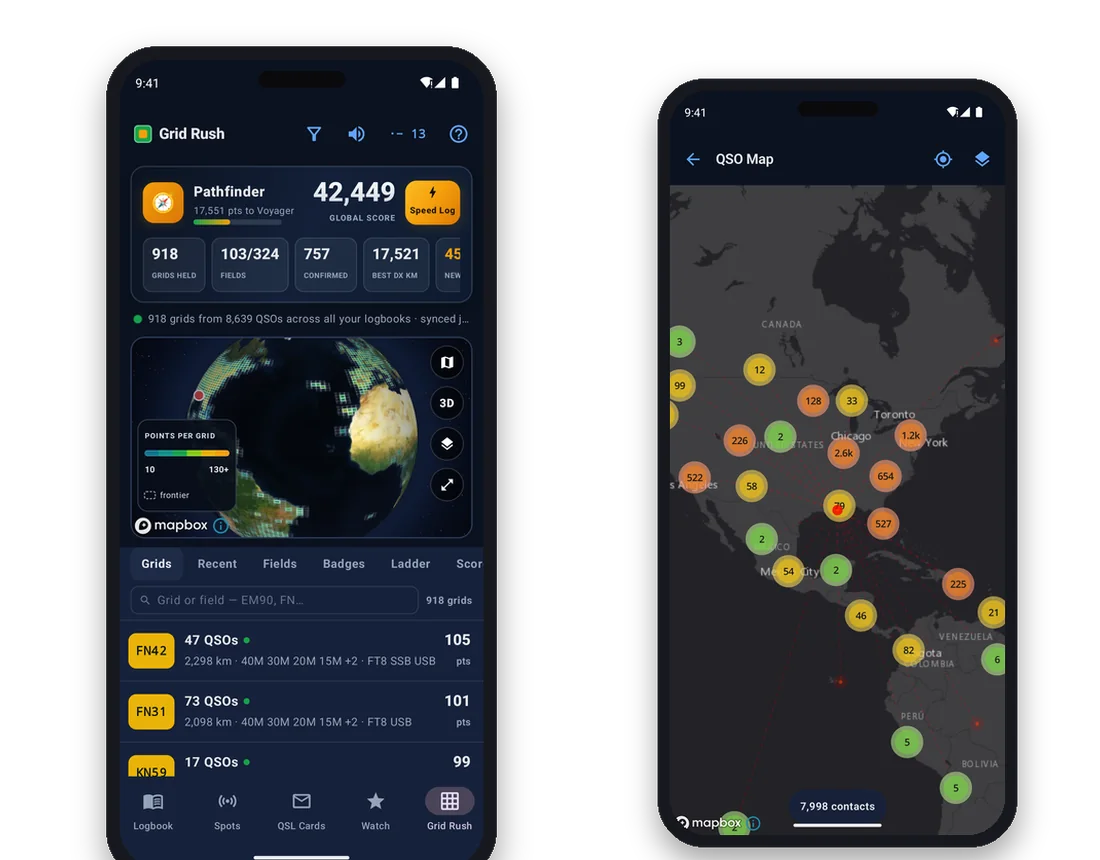
The logbook, a contact's flight path, the QSO map, Grid Rush, QSL cards, live spots and the grey line.
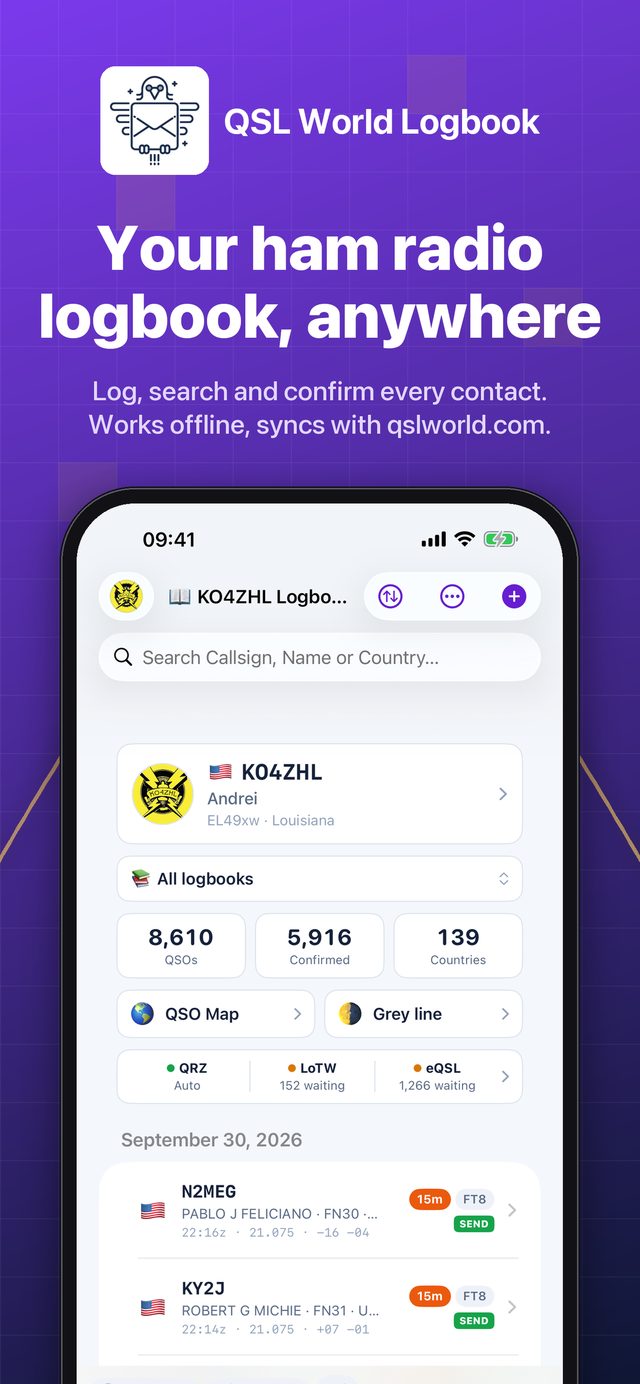
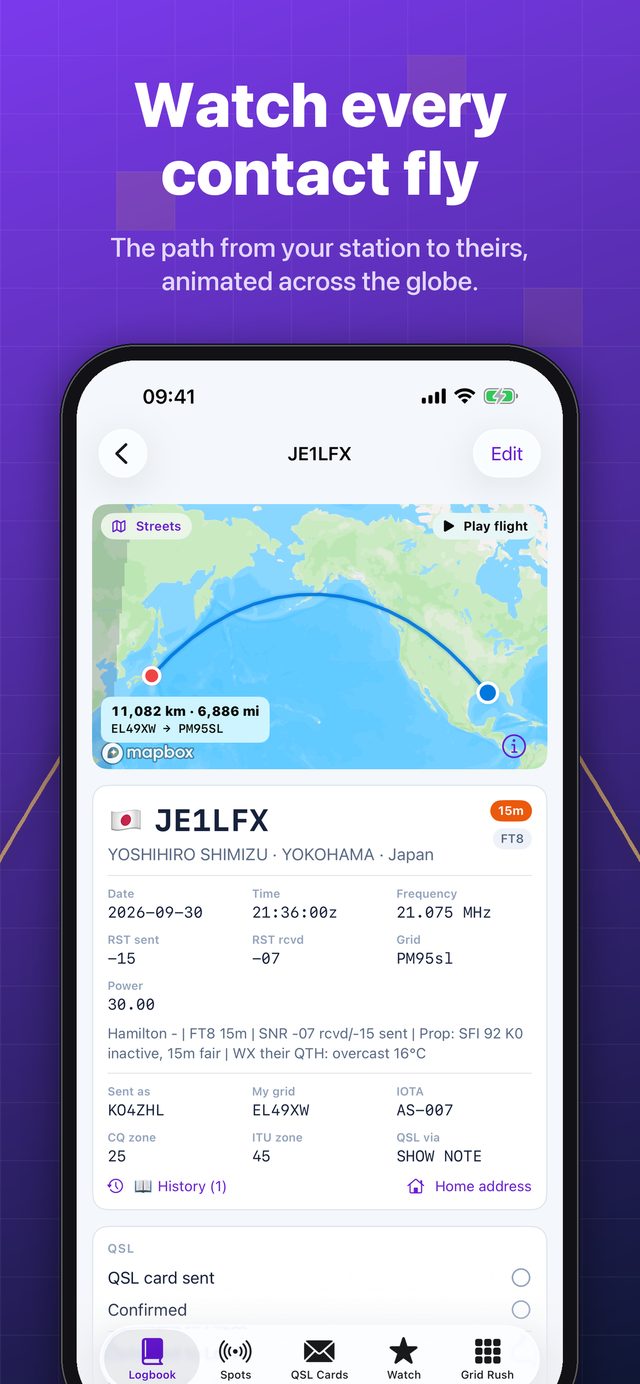
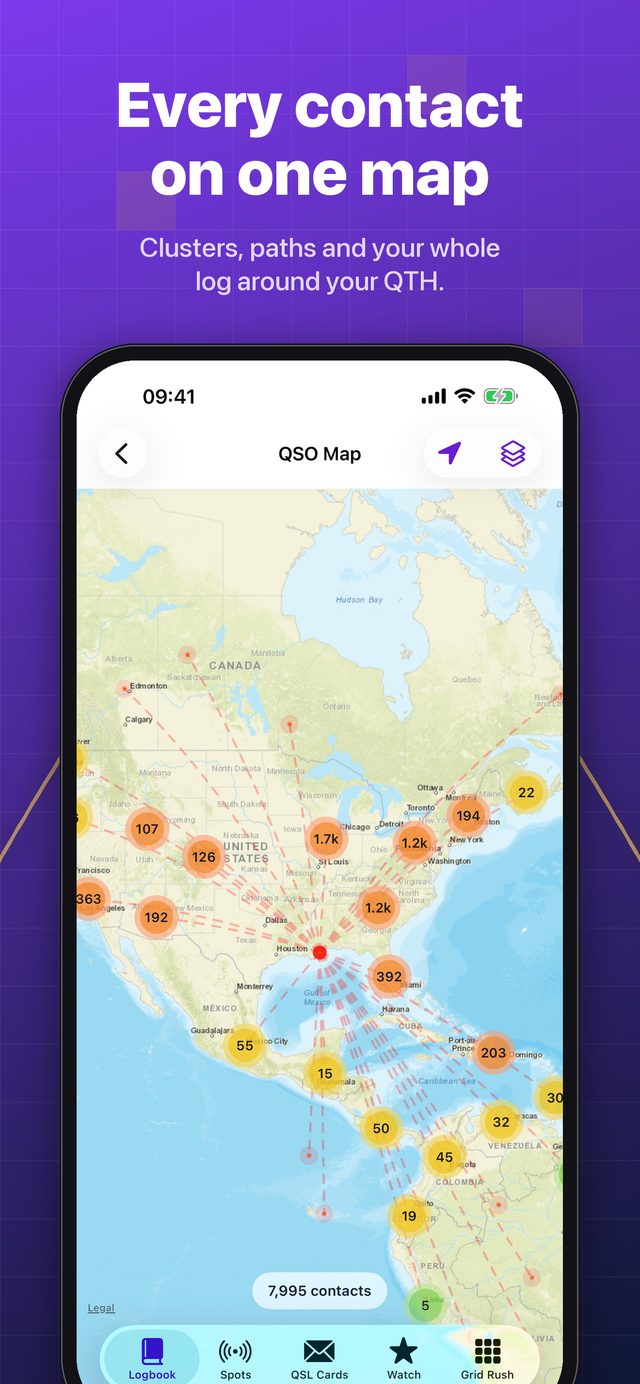
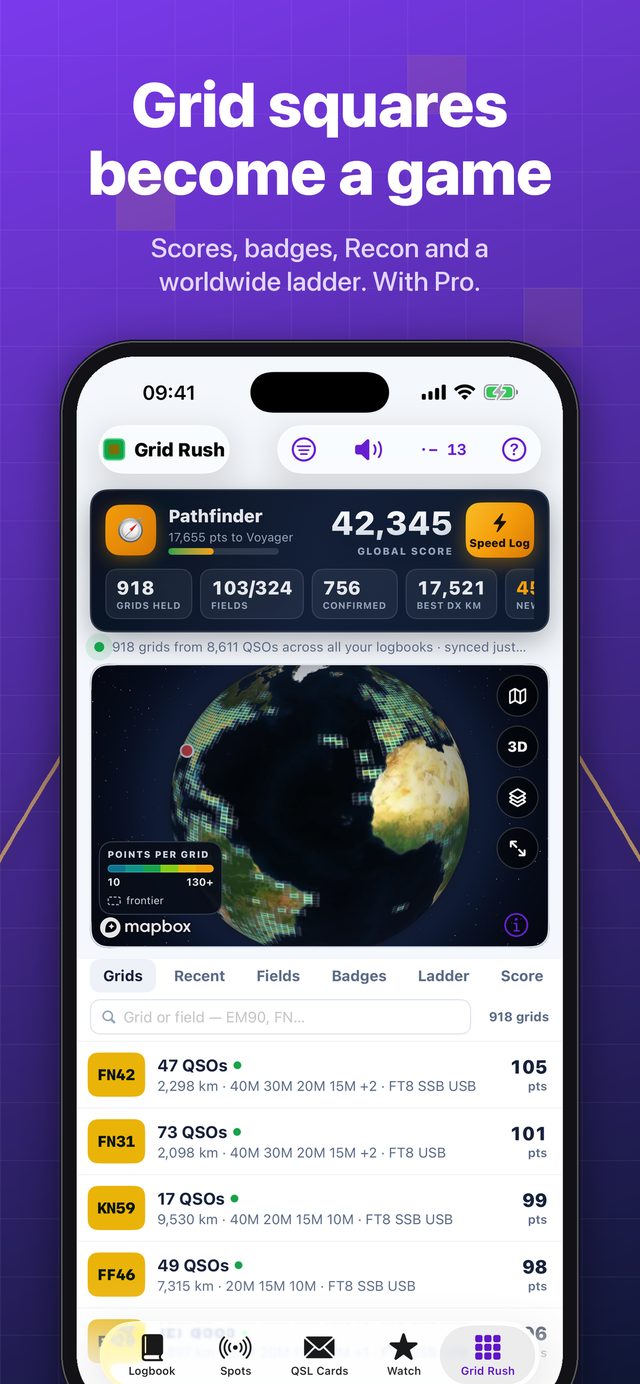
A native app on each platform, not a website in a frame. It is quick to open, it scrolls through thousands of contacts without a stutter, and it keeps working when the signal does not.
QSL World Logbook is free to download and free to keep your log in, with no limit on contacts. On a computer? Point your phone camera at the code for your phone.
What radio amateurs ask before they install it.
Yes. Downloading it and keeping your log are free, with no limit on contacts. Extras such as the QSO map, QSL cards, LoTW, QRZ and eQSL, Grid Rush and radio control come with an optional plan you can add inside the app whenever you want them.
Yes. Your whole log is stored on the phone, so you can search it and log new contacts anywhere. Anything logged offline is sent to qslworld.com as soon as the phone is back online.
Yes. The app, qslworld.com and Ham Browser use one account and one log, so a contact logged on the phone shows up on the computer and the other way round. You can sign in with that account, with Apple or Google, or create a new account in the app.
LoTW uploads have to be signed with your TQSL certificate, which lives on your computer, so uploading stays a job for TQSL. The app shows how many contacts are waiting for LoTW and brings the confirmations into your log as they arrive.
With QSL World Plan, contacts you log can be added to your QRZ logbook as you go, and confirmations from QRZ and eQSL are brought into your log.
With QSL World Pro the app reads the frequency and mode from your radio through a Bluetooth CAT adapter, or over the network from Hamlib rigctld or flrig.
iPhone and iPad with iOS 17 or later, and Android phones with Android 8.0 or later.
English, Spanish, Portuguese, Italian, French, German and Japanese.
On iPhone and iPad, in your Apple Account settings under Subscriptions. On Android, in Google Play under Payments and subscriptions. Deleting the app does not cancel a plan.
Your log is kept in your QSL World account. You can delete your profile from inside the app at any time. The details are in the app's privacy policy.
Free on the App Store and on Google Play. Questions? Write to support@qslworld.com with your callsign, or read the app help page.
 QSL World Logbook